Leak of the finished Street RP (GRAND ROLEPLAY) server assembly (full working version) for RAGE Multiplayer. The server modification is written in
JavaScript (TS) + React (visual part of the client). The server part uses a database -
MongoDB + Redis . All screenshots of the server functionality and video reviews and a video tutorial on installation are at the bottom of the page.
Installing and starting the server:
âš ï¸ÂPlease note! To run this server build, you must have the following programs installed:
- Download the archive and extract all the files to a convenient location (not recommended on the desktop, better directly to one of the disks).
- Here is a folder with server files, what does it contain? src_client - source files of the client part src_server - source files of the server part src_ui - source files of the visual part (interfaces) file .env - main server configuration (settings)
- The next step is to set up the development environment and install the necessary modules. In the server folder, open the command line (SHIFT + RMB in an empty space in the folder - then click on PowerShell) and execute the following commands one by one: Git: npm install npm run build If during installation you get an error - Error: spawn git ENOENT, - then you need to install Git-SCM (download link is above ↑).
- Go to the .env file in the server folder, open it and look, the contents of the file should be like this: Makefile: DB_URI=mongodb://localhost:27017/streetrpREDIS_HOST=127.0.0.1 REDIS_PORT=6379 REDIS_PASSWORD= MAIL_USER=[email protected] MAIL_PASS=12345 WEATHER_KEY=ÒðшÚûючßþóþôы WEATHER_CITY=Moscow,RU DAILY_NEWS= INIT_DELAY=
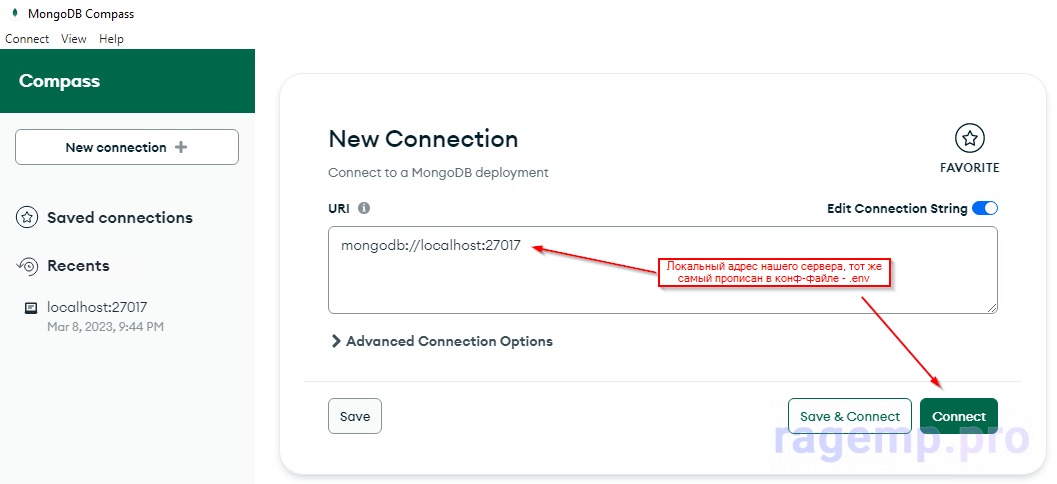
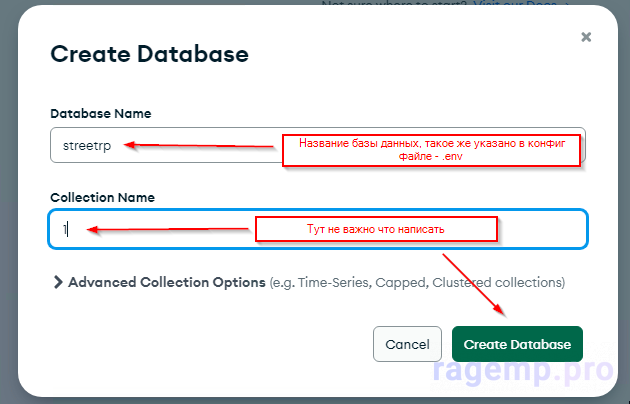
- Next, install the database server - MongoDB Community Server (download link is above ↑). Wait for the installation to finish, launch - MongoDB Compass , connect to the local server and create a new database (by clicking the plus sign on the left), call it - streetrp (it is also called in our config file .env ).
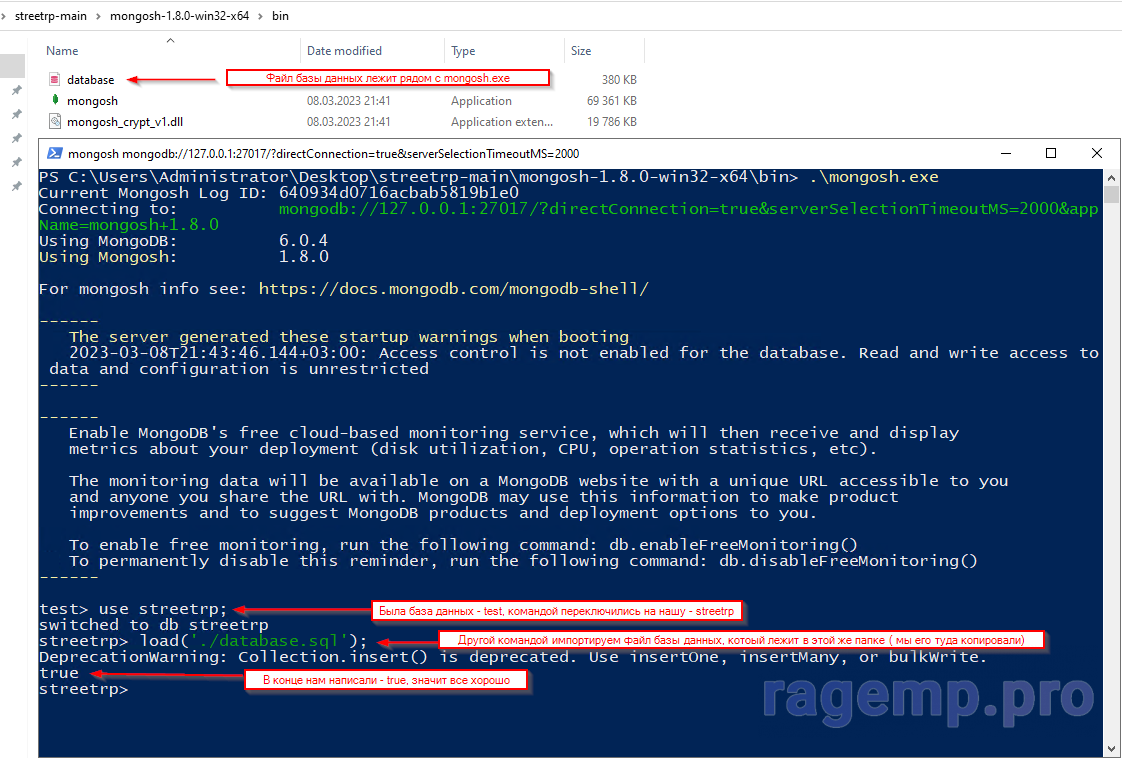
- Download and install the program - MongoDB Shell (download link is above ↑). And drop into it (namely in the bin folder , next to mongosh.exe) the database file from the server folder - database.sql In the folder with this program (namely in the bin folder , next to mongosh.exe) open the command line (SHIFT + RMB in an empty space in the folder - then click on PowerShell) and execute the following commands one by one: Git: mongosh.exe use streetrp load('./database.sql'); We wait for the process to finish and without any errors we should get the inscription - TRUE. With this step we have loaded the necessary data (houses, factions, businesses, clothes) and other information into the database.
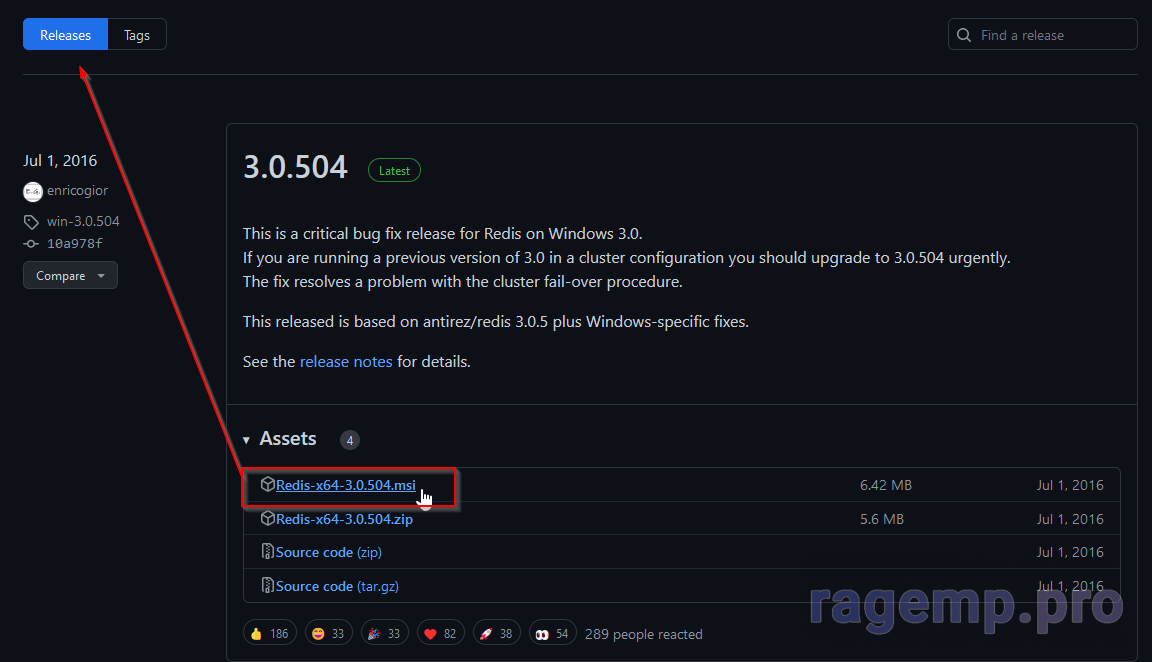
- Next, the simplest step of all, download and install another database: Redis Server (download link is above ↑).
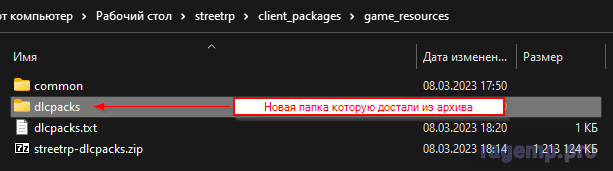
- In the server folder we find the file - client_packages/game_resources/dlcpacks.txt in this text document there will be a link to download the archive with all dlcpacks, download and unzip the contents of the archive next to the text file. You should get a new folder - client_packages/game_resources/dlcpacks
- Voila! You have installed the server, you can run the executable file - ragemp-server.exe and connect to the local IP!
 PREVIEW:- [MEDIA=imgur]X03ESn1[/MEDIA] [LIST=1]
 -